Floral Spring Clipart Elements: A Practical Guide to Quality and Versatility
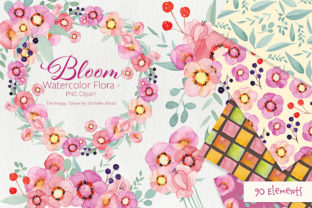
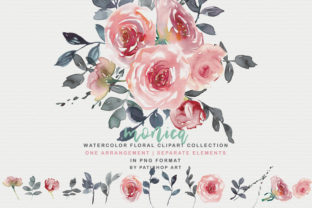
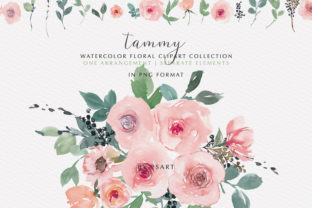
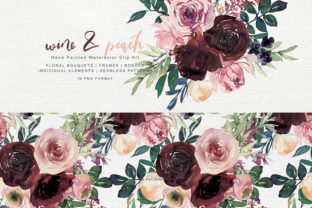
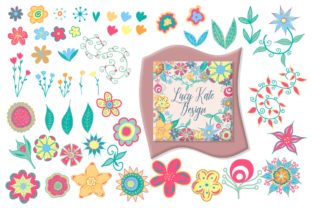
Spring represents a season of renewal and vibrant creativity, making it one of the busiest times for designers, crafters, and small business owners. When sourcing assets for this season, the difference between a mediocre project and a professional masterpiece often lies in the quality of the source material. Floral Spring Clipart Elements offer a curated solution for those looking to capture the essence of the season without spending hours drawing individual petals. This specific collection features 50 digitally drawn vector elements in a vibrant color palette, designed specifically to complement existing spring themes while standing strong on their own.
However, acquiring digital assets is only the first step. Many creators encounter frustration not because the art is poor, but because they misunderstand file formats, resolution requirements, or licensing capabilities. Understanding how to properly evaluate and utilize these 50 PNG and SVG files ensures that your investment translates into high-quality prints, seamless digital designs, and efficient workflow. Whether you are creating wedding invitations, fabric prints, or commercial stickers, avoiding common pitfalls will save you time and protect the integrity of your work.
Distinguishing Between Raster and Vector Utility
One of the most frequent mistakes beginners make is treating all clipart files as interchangeable. This collection provides both formats for a reason, yet users often default to PNG files simply because they are more familiar, missing out on the superior scalability of SVGs. While the 300 DPI PNG files included here are excellent for static applications like scrapbooking or standard stationery, they have physical limits. If you attempt to stretch a PNG beyond its native dimensions for a large banner or wall decal, pixelation becomes inevitable.
The 50 SVG files included in this set are fully scalable vectors. This means the mathematical paths defining the floral shapes remain crisp whether the design is printed on a tiny cake topper or a massive storefront window. For users operating cutting machines like Cricut or Silhouette, relying on PNGs can lead to jagged edges and frustrating weeding processes. Vectors provide clean cut lines that software can interpret precisely. Before starting any project, assess the final output size. If there is any chance the design will need resizing, always prioritize the SVG format to maintain professional quality.
Resolution Realities for Print vs. Digital
Another area where creators stumble is assuming "high resolution" applies universally. The 300 DPI specification for these PNG files is the industry standard for print, ensuring sharp ink deposition on paper, fabric, and cardstock. However, using 300 DPI images for web-only projects can unnecessarily bloat file sizes and slow down website loading speeds. Conversely, using low-resolution web images for print results in blurry, unprofessional merchandise.
To avoid this mismatch, organize your workflow by end-use. Reserve the high-DPI transparent background PNGs strictly for physical products like clothing labels, postcards, and DIY announcements. For digital calendars, social media graphics, or blog headers, consider optimizing a copy of the image at 72 or 96 DPI. This practical distinction preserves the quality of your master files while ensuring optimal performance across different mediums. Always verify the DPI setting in your design software before exporting final products to prevent costly reprinting errors.
Color Management and Palette Consistency
Vibrant color palettes are a hallmark of spring design, but color inconsistency is a common source of dissatisfaction. A frequent oversight occurs when designers mix clipart from disparate sources, resulting in clashing tones that look disjointed. These Floral Spring Clipart Elements are created with a cohesive color story intended to harmonize with other floral spring designs. Ignoring this intentional curation by mixing in unrelated assets can dilute the visual impact of your project.
Furthermore, screen colors rarely match print colors perfectly due to the difference between RGB (light-based) and CMYK (ink-based) color spaces. Users often panic when their vibrant digital flowers appear duller on paper. To mitigate this, perform test prints on your target material before committing to a full production run. Since these elements are digitally drawn, they generally translate well to print, but substrate choice matters. Colors will pop differently on glossy sticker paper versus matte cotton fabric. Understanding your medium allows you to adjust saturation expectations realistically rather than blaming the asset.
Leveraging Transparent Backgrounds Correctly
Transparent backgrounds are essential for layering, yet many users inadvertently ruin this feature during editing. Saving a PNG with a transparent background as a JPEG automatically fills the empty space with white, destroying the versatility of the clipart. Always maintain the original PNG or export to formats that support alpha channels, such as TIFF or PSD, if further editing is required.
Additionally, check for stray artifacts or semi-transparent pixels around the edges of the florals. High-quality assets like this set should be clean, but zooming in to 100% before placing an element over a dark background is a best practice. Dark backgrounds reveal imperfections that remain invisible on white layers. Taking ten seconds to inspect edge cleanliness prevents the "halo effect" that screams amateur design, especially on colored wedding invitations or dark apparel.
Strategic Application for Commercial and Personal Use
Versatility is a key selling point, but it requires strategic thinking. Using the same floral arrangement for a baby announcement and a corporate event flyer ignores context. While the elements are suitable for everything from cake toppers to banners, the scale and density of the composition must adapt to the message. Overcrowding a small label with intricate botanical details makes text unreadable. Conversely, sparse placement on a large banner can look unfinished.
For entrepreneurs and marketers, efficiency comes from modularity. Because these are individual elements rather than pre-locked compositions, you can build custom borders, corners, and dividers. Instead of searching for a new asset for every project, learn to combine these 50 pieces in novel ways. Create a reusable template for product packaging using specific florals as anchors, then swap secondary elements for seasonal variations. This approach maximizes the value of the set and establishes brand consistency without repetitive purchasing.
Software Compatibility and Workflow Integration
Before purchasing or downloading, confirm that your software supports SVG imports correctly. While most modern design programs and cutting machine software handle SVGs seamlessly, older versions or niche tools may struggle with complex path data. Testing a single file first can prevent workflow bottlenecks. Similarly, ensure your computer has adequate storage and processing power; fifty high-resolution PNGs and fifty vector files require organized digital asset management.
Establish a clear folder structure immediately upon download. Separate SVGs from PNGs, and perhaps create subfolders by flower type or color family. Searching through a flat list of 100 files wastes creative energy. Proper organization turns this collection from a mere download into a readily accessible library that accelerates production time for rush orders and last-minute DIY projects.
Making Informed Decisions for Lasting Results
Ultimately, the value of Floral Spring Clipart Elements extends beyond the initial aesthetic appeal. It lies in the technical reliability and practical application of the files. By respecting the distinct roles of vector and raster formats, managing color expectations across media, and maintaining rigorous file hygiene, you transform simple clipart into professional-grade design components.
Avoid the temptation to treat digital assets as disposable. Invest time in learning the nuances of these tools. Check compatibility, test print samples, and organize your resources before diving into complex projects. This mindful approach not only improves the immediate outcome of your spring designs but also builds a foundation of technical competence that benefits every future creative endeavor. When used correctly, these elements do more than decorate; they elevate the entire standard of your craftsmanship.